 Member Benefits
 How to Join
 En Espanol

Whether you find artificial intelligence (AI) exciting or frightening, its widespread use—including among students—means we all need to learn how to interact with it responsibly. How can we harness AI as a tool to enrich learning? Reduce teachers’ workloads? Facilitate communication with families? Answering these questions is probably best done by jumping in, trying out AI to see what it can do for you. To find out where to start, we talked with three educators who have been experimenting with AI. Here, they share how it saves them time and adds new dimensions to their lessons—and they also share their concerns.
Elisa Leonard, whose mother was an educator, knew her calling from an early age and has been teaching for 23 years. She’s a member of the Broward Teachers Union and teaches kindergarten at Ramblewood Elementary in Coral Springs, Florida. Cal Siebenmark knew he wanted to help people and almost became a nurse; now, he is a fourth- and fifth-grade special education teacher with six years of experience at Stanley Elementary in Wichita, Kansas, and serves as the secretary of the United Teachers of Wichita. Louis Venagro, a career and technical education teacher in the Educational Pathways program at Cranston High School East in Rhode Island, devoted 30 years to teaching math (following in his father’s footsteps) and is a Cranston Teachers’ Alliance building delegate.
–EDITORS
EDITORS: How are you using AI, and what do you find most helpful?
LOUIS VENAGRO:Along with my district’s instructional coach coordinator, I started experimenting with AI almost three years ago. We tried to make chatbots for elementary math, but they didn’t work well. Things have improved dramatically in the last year. Now, I regularly use ChatGPT to create curriculum and lessons, as well as to differentiate lessons. It streamlines my process. I also use Google’s tools, such as Gems and NotebookLM. This year, I’ve created many Gems for my students—they are chatbots that only draw from the information I give them. That’s much safer and more reliable than ChatGPT, which draws from the entire internet. For high school students, Gems are great homework helpers because I develop the instructions for them; I can limit each Gem to engaging in problem-solving with the students, suggesting a next step without giving them the answer. With NotebookLM, I often make notebooks for myself and for the students. Like Gems, I provide the source material for NotebookLM; it does a good job of summarizing everything I give it and finding connections—and it saves a lot of time developing rubrics and assessments.
CAL SIEBENMARK: I use AI for lots of small tasks—and it adds up to a lot of time saved. Teaching fourth- and fifth-grade special education students, I find AI especially helpful for differentiation in math. I have to do centers every day, and AI helps me plan out each week. I also use it to build rubrics based on my state standards, make lesson plans more engaging, refine the wording I use on individualized education programs (IEPs), and conduct goal checks. AI has been really helpful when I’ve been out sick and needed to make substitute plans quickly.
ELISA LEONARD: I hadn’t thought about using AI for substitute plans—that’s a great idea. I started using ChatGPT over the summer to create games and scavenger hunts for my kids. I started using AI in my classroom this past fall. I was hesitant at first—it was a little intimidating—but my union offered a class showing us how to use Microsoft Copilot, which Broward County adopted as its AI platform. I quickly found that AI is a great way to come up with new activities. As a veteran teacher, it’s easy to teach the same thing over and over again; AI is helping me get outside of my comfort zone and do some different things with the kids.
CAL: I have a colleague who is not very good with technology, but he has bloomed with ChatGPT. He became interested in having it generate passages for his students to read and then started adding topics that they like, such as dinosaurs and Power Rangers. Now these AI passages are a reward in his classroom—when kids complete their work, they can ask for a personalized passage. One child asked for a story about playing soccer with the Argentine star Lionel Messi. I think this is great—the kids are doing extra reading as a reward.
LOUIS: That reminds me of one way AI is changing how I support my students: I’m using it to provide more feedback. Last spring, I asked students in the Educational Pathways program to write a complete unit as their end-of-semester project. I knew they would have multiple drafts, but I couldn’t provide feedback on all of them. I made a Gem based on my rubric, allowing students to upload their projects and see how they scored on the rubric. The Gem pointed out what was missing but didn’t do the work for them. The Gem wasn’t perfect.
One concern I’m beginning to think more about is that students may start to optimize their writing to please AI instead of writing for a human reader. To mitigate that, I’m trying to instruct the Gems to give objective, rubric-based feedback without altering the students’ voice, tone, or style. I want AI to support their thinking and not reshape their writing.
EDITORS: Tell us more about how you interact with these platforms.
ELISA: My unit on sound offers a good example. I tried working with ChatGPT, but with the free version you’re somewhat limited in how many questions you can ask. With Copilot, I can engage more deeply. I asked Copilot to use the Florida State Standards for sound and English language arts in kindergarten to create several experiments and add writing components. When I wanted to create a worksheet, it created the PDF (or any other format I wanted).
I approached this from scratch, seeing what Copilot would produce, and I also gave it my lesson plans from previous years to see how they could be enhanced. I ended up using a mix of both. I retained some of my tried-and-true books, videos, and experiments, and I added some experiments that Copilot gave me. One thing I’ve benefited from is prompting it to make experiments a little easier or more advanced. And like Cal, I use it to offer a range of centers for students who need more time on core concepts or who are ready for enrichment. I used to spend a lot of time searching online for activities, but with Copilot I can describe what I have in mind and very quickly bring it to life. I don’t take the first thing Copilot creates, but with my feedback, revisions happen in mere seconds.
CAL: My approach is similar. For lesson planning, I start with my district’s standards, which are unique because we use standards-referenced grading. I mainly use ChatGPT, sharing my ideas for teaching a specific standard, then asking it to offer more ideas and to create the lesson plan. I don’t use its first draft, either. I’ll type in suggestions and edits. I feel like it’s mostly bringing my ideas into a finished, student-ready product more quickly—it’s not really thinking for me. But sometimes it suggests something I would not have thought of.
ChatGPT also saves me time putting together content and materials for my students’ IEP goal checks. Sometimes I have it write reading passages; other times I have it create websites with games based on the goals I need to assess.
Overall, AI helps me cut down on the mundane things that take a lot of my time, and it allows me to focus on the things that I’m passionate about, like building solid lesson plans, making sure that I have good classroom management strategies in place, and making sure that I am staying on top of my classroom organization.
LOUIS: My process is also pretty similar for writing lesson plans; I’ll just add one practice that’s a little different. I find writing the instructions for a Gem difficult—they are very intricate, almost code-like. So, I use ChatGPT to write the instructions. I tell it what I want, including the restrictions (like not giving students the answers), and it writes Gem instructions that I can copy and paste. Some of my colleagues think I have a strong handle on AI, but really I’m just learning alongside everyone else and relying on the tools to help me with the complex parts.
Here’s another example. I don’t know how to code, but I used AI to make a bathroom pass app. I explained to ChatGPT that I wanted a pass system in which a student scanned a code and received an email pass, and that I needed a spreadsheet at the end of the day that told me when and where students had gone. I asked ChatGPT to write it for Google’s Apps Script, so I was able to create the app without any conceptual knowledge of what I was doing.
This does raise some issues concerning accuracy and especially long-term maintenance. I am trying to be more intentional about what AI generates. I appreciate that AI lets me build things I couldn’t have otherwise; I just want to be thoughtful about how I use it.
EDITORS: Is AI helping you communicate with families?
ELISA: I’ve used it to help write conference forms and notes on students. This is really helpful with communicating about children who are struggling. Copilot helps me write in a parent-friendly way instead of in educator verbiage. It also helps a great deal when I’m tired and frustrated—it helps me send notes to families about behavior challenges that are clear and kind.
LOUIS: I also use ChatGPT to write emails. It saves me time when I’m writing to colleagues, and it’s especially useful for the batch emails I use in mass communications with families. Again, I used ChatGPT to write in Apps Script, and instantly I had an app for sending the batch emails.
CAL: I’ve used AI to make class newsletters and translate them into multiple languages. It has also helped by transcribing meetings with parents, which I then use for parent documentation. And, I’ve had it generate word lists and math problems that parents can work on with their children at home, all related to their IEP goals.
ELISA: I’ve had AI generate activities for families too. I have a few students who need to develop their fine motor skills, and a lot of parents don’t know how to strengthen those skills without professional help. With Copilot, I created a list of different activities, like using scissors, modeling clay, and hole punching. Hole punching was one that Copilot suggested—I didn’t think of it, but I realized that it is beneficial because it uses so many hand muscles.
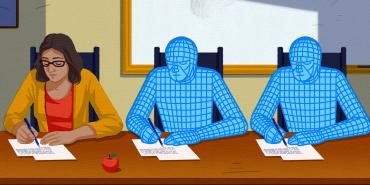
EDITORS: What concerns do you have about AI?
ELISA: My main concern about AI is our children using it. My daughter, who is in middle school, wants to use ChatGPT for everything; I worry that she is not spending enough time thinking—developing knowledge and critical-thinking abilities. I have empathy for middle and high school teachers figuring out how to navigate AI with their students. But I don’t have those concerns as a kindergarten teacher. Some of my colleagues fear AI taking our jobs, but I think that’s a misunderstanding of what AI is. AI helps me be a little more creative, but it can’t love and hug my five-year-olds or meet their social and emotional needs.
LOUIS: I agree. I don’t have any concerns about AI replacing teachers, but I do have concerns about irresponsible use by teachers and students. For teachers, we have to build connections with our students and get to know them and their needs. AI can write lesson plans instantaneously, but we have to carefully read everything it gives us and spend time making revisions. Those revisions can happen with AI, but we can’t simply accept that first draft.
For students, using AI can be worse than plagiarism. To plagiarize, students at least have to read and find something relevant to copy. With AI, you can paste the assignment into ChatGPT and turn it in without reading it. Even when I restrict my Gems to rubric-based feedback, AI can still oversimplify or unintentionally push students toward formulaic patterns. I’m trying to make sure feedback supports their thinking without flattening their style and creativity. Students miss out not only on building knowledge but also on developing curiosity and their voice. There are apps teachers can use to try to catch students, but it’s a struggle. In my classes, I have students do handwritten assignments about twice a month to be sure I have an authentic picture of their learning.
CAL: On a personal note, my fears are related to the environmental impact of AI and replacing the joys of human life, like art. I absolutely despise AI art. Educationally, my biggest concerns are security, how rapidly AI is changing, and the extent to which students depend on it. A lot of teachers’ fears about students not building knowledge and skills are valid. But the more I use it, the more I realize that if educators don’t know how to use it, then we can’t help our students learn to use it responsibly.
The AFT’s AI academy reassures me that we’ll have a voice in how AI is developed and deployed. I did a presentation on AI at the AFT’s TEACH conference in 2025 and spoke with representatives from ChatGPT. That reassured me that we’re all committed to using AI wisely and that educators will be able to share our concerns and advocate for what works.
Still, there are problems emerging in high school and college. As professionals, we use AI to save time and enhance our work—but we’re still doing the thinking and using a mix of resources. Too many students are using AI to think and do their work for them. Even if they don’t seek out an AI platform, a simple Google search now places the Gemini results at the top of the page. Instead of examining that critically, too many kids accept what it says.
ELISA: I agree with Cal and Louis. As educators, we have a foundation in education, in technology, in what’s right and wrong. Young people won’t develop that foundational knowledge to guide them if they rely on AI. As a college student, I loved being in the library researching, and I fear that many college students are missing out on that now. It’s a little unnerving, honestly.
EDITORS: Do you have any advice for educators who are starting to use AI?
CAL: When I started using ChatGPT, I used it just like I do Google. I asked it questions and found it to be much more interactive and responsive than Google. A couple of years ago, AI came up in a conversation with my school’s technology representative, and we’ve been sharing resources ever since. Having a thought partner like that helps a lot. We’re both special education teachers, and we’re trying to better align our goals throughout the school in part to have smoother transitions as students change grade levels. With AI, he created a website that we can all use to assess our students’ reading skills, and more recently we’ve added online games and math problems—all in service of our goal checks.
This school year I’ve been presenting on AI in my building, and I’m working with my local union to offer professional development sessions on AI. I start by talking about people’s fears and helping them feel more comfortable. Then we create accounts and ask ChatGPT questions or give it problems to solve. Getting past that very first try goes a long way.
LOUIS: I think your process is spot on. Having at least one colleague who is excited about AI makes a big difference. Working together and sharing ideas builds camaraderie and momentum. I wouldn’t be as far along as I am in using AI if I hadn’t been collaborating with my district’s instructional coach coordinator, Pete Guyon, who has done a lot of work with the AFT AI academy. The goal is to make our work easier, not to hand our judgment or creativity over to the tool.
I’ve shared many of the Gems I’ve made with my colleagues, but some are not interested—and I understand why. Teachers are overworked, and this can feel like one more thing we don’t have time to add to our plates. I also recognize that there are so many AI platforms and tools coming out at once that it can feel overwhelming. My advice is to pick a tool and get comfortable with it. Once you understand how one platform works, it becomes easier to evaluate others. But once you learn how to use it, it saves time. More importantly, once you start using it, you see that it is not a fad. I can recall times when teachers were against using calculators and the internet. Well, no one uses square root charts or paper encyclopedias anymore. As Cal said, we need to learn how to use AI so that we can teach our students to use it responsibly.
ELISA: I believe I was the only person using AI in my building at the beginning of the school year. I’m the kindergarten chair, so I’ve been sharing how I use Copilot with my team. But for the most part, they feel tired and overworked, like Louis said, and they don’t see (yet) how much time it can save. More recently, our exceptional student education teachers started using it, as did our support facilitators, to help them with IEPs and legal documents.
I would encourage teachers to take courses on AI. I’m fortunate that my district and my local union are offering courses, but teachers who don’t have that option can check out the free webinars offered by the AFT’s AI academy.*
CAL: One more thing I’d share with teachers is the importance of protecting students’ privacy. When I use ChatGPT to help me differentiate lessons or complete special education documentation, I’m careful to leave out students’ names and all identifying information. That’s just following the usual privacy rules, but we have to be aware that they apply to AI also.
LOUIS: That’s a good point. I’ve shared a lot about myself as a teacher with ChatGPT, but I only provide very general information about the types of students in my courses.
My last thought for my fellow educators is that getting started with AI is a lot like having a conversation with a new colleague. You introduce yourself and your goals, and it provides suggestions—sometimes good, sometimes bad. But unlike a colleague, it has no feelings, so I can say plainly that I like one section of a lesson plan but not another. Plus, it works instantly; I can provide a critique and get a revision immediately. The key for me has been treating AI as a partner in the creative and planning process, not a replacement for my judgment. The more intentional we are about how we use it, the more meaningful and sustainable its benefits become. I really believe that once teachers start using AI, they won’t want to go back.
*To see what courses are available, go to go.aft.org/17v. (return to article)
[Illustrations by Pete Ryan; photo: AFT]